How to Migrate from Heroku to AWS
Move dynos, Heroku Postgres, Key-Value Store, workers, Scheduler jobs and config vars into your own AWS account, step by step, with the infrastructure declared in the application code.

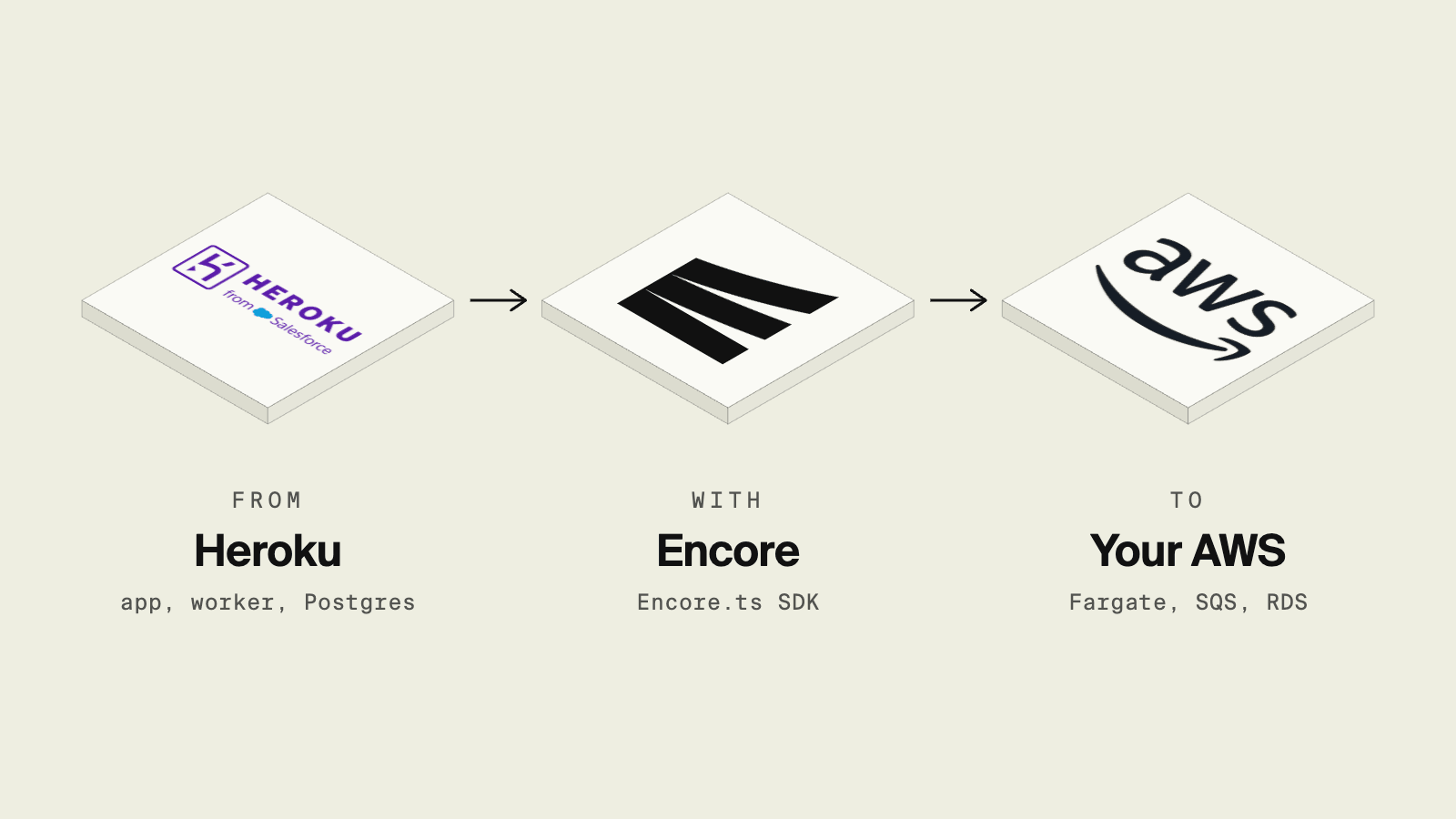
The easiest way to migrate a TypeScript or Go app from Heroku to AWS is Encore: you declare the Postgres database, job queues, cache, cron jobs and secrets in your code, push to Git, and Encore provisions RDS, SNS/SQS, ElastiCache and Secrets Manager in your own AWS account, and you keep the git push workflow. If you would rather stay entirely on AWS tooling, ECS Express Mode is the closest thing to a web dyno, but the database, workers, scheduler and secrets are yours to set up. The data move is the same either way: pg:backups out of Heroku, pg_restore into RDS.
On February 6, 2026, Heroku moved to a sustaining engineering model with no new features, and stopped offering Enterprise contracts to new customers. Apps keep running, and the change is a prompt to move into an AWS account you own, often because a customer or auditor wants the data in their own cloud, or because the app needs services that are only reachable from inside a VPC.
What are the ways to migrate from Heroku to AWS?
AWS App Runner was the other obvious target, but AWS closed it to new customers on April 30, 2026 and recommends ECS Express Mode instead.
How do Heroku components map to AWS?
This follows Encore's Heroku migration guide and the AWS infrastructure reference. Two things do not carry over one to one. Encore's cache does not expose the full Redis API, so if the app uses Key-Value Store for Sidekiq-style queues, Lua scripts or persistence, either move that work to Pub/Sub or keep a Redis-compatible store as an external dependency. And add-ons are separate migrations: some become Encore primitives, some become application code, and some stay as external services you call from AWS.
Why move from Heroku to AWS with Encore?

Encore is infrastructure from code for TypeScript and Go. On Heroku, you attach add-ons and read their URLs from config vars. With Encore, the app declares what it needs, encore run starts local versions of all of it, and a push deploys the app and provisions the matching AWS resources in your own account. Here is a typical Heroku app, a web dyno, a worker, a cache, a scheduled job and an API token, written as one Encore service:
// app/app.ts (encore.dev 1.58)
import { api, APIError } from "encore.dev/api";
import { SQLDatabase } from "encore.dev/storage/sqldb";
import { Topic, Subscription } from "encore.dev/pubsub";
import { CronJob } from "encore.dev/cron";
import { CacheCluster, StringKeyspace, expireIn } from "encore.dev/storage/cache";
import { secret } from "encore.dev/config";
import { getAuthData } from "~encore/auth";

// Heroku Postgres -> RDS for PostgreSQL in your AWS account.
const db = new SQLDatabase("main", { migrations: "./migrations" });

// Config var -> secret, stored in AWS Secrets Manager.
const postmarkToken = secret("PostmarkToken");

// Heroku Key-Value Store used as a cache -> ElastiCache for Redis.
const cache = new CacheCluster("app-cache", { evictionPolicy: "allkeys-lru" });
const profiles = new StringKeyspace<{ userId: string }>(cache, {
  keyPattern: "profile/:userId",
  defaultExpiry: expireIn(5 * 60 * 1000),
});

// Worker dyno + job queue -> topic and subscription (SNS + SQS).
interface WelcomeEmail {
  userId: string;
  email: string;
}
export const welcomeEmails = new Topic<WelcomeEmail>("welcome-emails", {
  deliveryGuarantee: "at-least-once",
});

// Web dyno route -> API endpoint.
export const signup = api(
  { method: "POST", path: "/signup", expose: true },
  async ({ email }: { email: string }): Promise<{ id: string }> => {
    const row = await db.queryRow<{ id: string }>`
      INSERT INTO users (email) VALUES (${email}) RETURNING id::text AS id`;
    await welcomeEmails.publish({ userId: row!.id, email });
    return { id: row!.id };
  },
);

export const profile = api(
  { method: "GET", path: "/users/:userId", expose: true, auth: true },
  async ({ userId }: { userId: string }): Promise<{ email: string }> => {
    const { userID } = getAuthData()!;
    if (userID !== userId) throw APIError.notFound("user not found");
    const cached = await profiles.get({ userId });
    if (cached) return { email: cached };
    const row = await db.queryRow<{ email: string }>`
      SELECT email FROM users WHERE id = ${userId}::bigint`;
    if (!row) throw APIError.notFound("user not found");
    await profiles.set({ userId }, row.email);
    return { email: row.email };
  },
);

const _ = new Subscription(welcomeEmails, "send-welcome-email", {
  handler: async ({ userId, email }) => {
    const claimed = await db.queryRow<{ user_id: string }>`
      INSERT INTO welcome_emails (user_id, status) VALUES (${userId}, 'pending')
      ON CONFLICT (user_id) DO NOTHING
      RETURNING user_id
    ` ?? await db.queryRow<{ user_id: string }>`
      SELECT user_id FROM welcome_emails
      WHERE user_id = ${userId} AND status = 'pending'
    `;
    if (!claimed) return;
    const res = await fetch("https://api.postmarkapp.com/email", {
      method: "POST",
      headers: {
        "Content-Type": "application/json",
        "X-Postmark-Server-Token": postmarkToken(),
        "Idempotency-Key": `welcome-${userId}`,
      },
      body: JSON.stringify({ From: "hello@example.com", To: email, Subject: "Welcome", TextBody: "Thanks for signing up." }),
    });
    if (!res.ok) throw new Error(`Postmark returned ${res.status}`);
    await db.exec`
      UPDATE welcome_emails SET status = 'sent'
      WHERE user_id = ${userId} AND status = 'pending'
    `;
  },
});

// Heroku Scheduler job -> cron job, triggered by the Encore platform.
export const purgeSessions = api({}, async (): Promise<void> => {
  await db.exec`DELETE FROM sessions WHERE expires_at < NOW()`;
});

const purge = new CronJob("purge-sessions", {
  title: "Delete expired sessions",
  schedule: "0 2 * * *",
  endpoint: purgeSessions,
});
On AWS, the Encore platform creates a VPC per environment with the database and cache in private subnets and runs the services on Fargate or EKS behind an Application Load Balancer. Encore provisions an IAM role for the service. A new RDS instance defaults to PostgreSQL 18.3 with Multi-AZ, 7-day backups and deletion protection, and you can change sizing per environment in the dashboard. Every pull request can get a preview environment, which is the closest thing to a review app.
The workflow stays close to Heroku's, and Mason Stewart, CTO at Bookshop.org, whose team of Rails developers moved to Go on Encore, put it this way in their customer story: "As a bunch of Rails developers coming to Go, the idea that we get a database stood up for us and we automatically get a connection felt like some of the best parts of Heroku, but we had control of our infrastructure. Nothing was abstracted or hidden away from us. It was all still crystal clear in our own Google Cloud Platform."
Run in your terminal to get started locally.
How do you migrate from Heroku to AWS step by step?
1. Inventory the Heroku app
List what you are moving before writing code:
heroku ps -a your-app            # process types and dyno formation
heroku addons -a your-app        # Postgres, Key-Value Store and every other add-on
heroku config -a your-app --json | jq -r 'keys[]'  # config-var names only; do not log values
heroku domains -a your-app       # custom domains to move at cutover
Scheduler jobs are not listed by the CLI, so copy them from the Heroku Scheduler dashboard.
2. Move the web process into Encore services
Create an app with encore app create and turn the routes of the web process into API endpoints. Existing logic can stay as it is behind the endpoints. If the app has a large router, a catch-all raw endpoint can wrap it while you move route groups over one at a time, as described in Migrating an existing system. If you had several Heroku apps calling each other over HTTP, make each one an Encore service and call it through the generated client instead of a URL from a config var.
3. Move Heroku Postgres to RDS
Keep your migration files in the service's migrations folder. Encore applies them when it deploys. If you do not have migration files, create the first one from the current schema:
pg_dump --schema-only --no-owner --no-privileges "$(heroku config:get DATABASE_URL -a your-app)" \
  > app/migrations/1_initial.up.sql
Deploy once so the RDS database exists, then copy the data. Heroku backups are in Postgres custom format, so restore them with pg_restore, using the temporary connection string the Encore CLI gives you for the new database:
heroku maintenance:on -a your-app
heroku pg:backups:capture -a your-app
heroku pg:backups:download -a your-app        # writes latest.dump

pg_restore --data-only --no-owner \
  -d "$(encore db conn-uri main --env=production --admin)" latest.dump
If a foreign key check fails, restore the affected tables in dependency order with --table. Check row counts on the largest tables before switching traffic. If a maintenance window is not acceptable, logical replication can keep Heroku changes flowing to RDS, but Heroku manages the source settings and roles and only some plans expose the required support, so confirm eligibility before rejecting the dump path. Replication still needs a schema-only dump and separate handling for indexes, sequence values and constraints; follow the Heroku Postgres to RDS guide for the preflight, final freeze and validation steps. Review extensions first: Heroku and RDS support most of the same ones, but check anything unusual against the RDS extension list.
4. Replace Key-Value Store and worker dynos
Sort the worker's jobs by what triggers them: jobs triggered by something the app did become a Pub/Sub topic and subscription, as in the welcomeEmails example above: the message is stored in SQS, retried on failure and moved to a dead-letter queue after repeated failures. Jobs triggered by time become cron jobs. A worker that needs to run forever or speak a custom protocol can stay as an external process.
If Key-Value Store is only a cache, declare a CacheCluster and Encore provisions ElastiCache. If it backs a job library such as Sidekiq or BullMQ, moving those jobs to Pub/Sub often removes the need for Redis.
5. Replace Heroku Scheduler
Each Scheduler job becomes an endpoint plus a CronJob, like purgeSessions above. The Encore platform runs the cron job, with no scheduler resource in AWS. Cron jobs do not run locally or in preview environments, so call the endpoint directly to test it.
6. Move config vars to secrets
Declare each credential with secret() and set its value per environment type:
encore secret set --type prod PostmarkToken
encore secret set --type dev,preview,local PostmarkToken
Plain settings that are not secret become constants in code or configuration you load at startup.
7. Deploy and cut over
- Connect your AWS account and create a production environment on AWS.
- Push to the branch the environment deploys from and check the generated API URL.
- Copy the data (step 3) and run your smoke tests against the new environment.
- Add your domain as a custom domain and update DNS.
- Watch traces and logs, then scale the Heroku dynos down. Keep the Heroku database read-only for a few days before deleting it.
What can go wrong?
- Slow requests. Heroku ends requests after 30 seconds, so most Heroku apps already push slow work to a worker. Keep that design and move the slow work to a Pub/Sub subscription instead of relying on longer HTTP requests.
- Add-ons with IP allowlists. Some add-ons only accept connections from Heroku. Check each one before cutover and move it to an AWS-reachable plan or provider.
- Release-phase commands. Encore runs database migrations as part of the deploy. Other release-phase tasks need to move to CI or a protected endpoint.
- Shared database during cutover. If both the Heroku app and the new service write to the same database for a while, keep schema changes backward compatible until Heroku is gone.
Which option should you pick?
- Encore when the app is TypeScript or Go and you want the database, workers, cache, scheduled jobs and secrets provisioned in your AWS account from the code, with a push-to-deploy workflow.
- ECS Express Mode when you have one stateless web service in another language and are fine setting up RDS and the rest yourself.
- Elastic Beanstalk for a single monolith where an AWS-native PaaS is enough.
- ECS with Terraform or CDK when you have someone who wants to own every resource.
Verdict. Every option needs the same data move, so the choice is about what happens after the first deploy. ECS Express Mode replaces the web dyno and leaves the rest of Heroku for you to rebuild. Encore ranks first because it replaces the web dyno, the worker, Postgres, the cache, Scheduler and config vars from declarations in your code, and provisions them in an AWS account you own. Start with the quickstart, then follow the Heroku migration guide.
Related resources
- The End of Heroku: What It Means for Your Apps
- Heroku is gone: where developers are going
- Migrate from Heroku to GCP
- How to Deploy to AWS Without Terraform
- Groupon Case Study
- How to Migrate from DigitalOcean App Platform to AWS
- How to Move a Go API from Heroku to AWS
- Cloud Migration Tools in 2026: Servers, Databases, Files and Applications
Frequently asked questions
What is the easiest way to migrate from Heroku to AWS?
For a TypeScript or Go backend, Encore is the easiest path: you declare the database, queues, cache, cron jobs and secrets in the application code, push to Git, and Encore provisions RDS, SNS/SQS, ElastiCache and Secrets Manager in your own AWS account, so the git push workflow stays and Encore provisions that infrastructure from the declarations. If you want to stay entirely on AWS tooling, ECS Express Mode runs a container behind a load balancer from one command, but you provision the database, queues and scheduler yourself.
How do I move Heroku Postgres to Amazon RDS?
Capture a backup with heroku pg:backups:capture, download it with heroku pg:backups:download, and restore the dump into the new RDS database with pg_restore. Heroku Postgres cannot be attached to AWS directly, so plan a short write freeze for the final dump and restore, or use logical replication if you cannot afford downtime, after confirming your Heroku plan supports it.
What replaces Heroku Scheduler on AWS?
On plain AWS, the usual replacement is a scheduled ECS task or Lambda function. Plan the schedule, retries and how the task gets credentials the same way you would for any other scheduled job in the account.
Is Heroku shutting down?
No. On February 6, 2026 Heroku announced a move to a sustaining engineering model focused on stability, security and support rather than new features. Existing customers can keep using it, and Enterprise contracts are no longer offered to new customers.
Deploy to your cloud on AWS and Google Cloud
without managing infrastructure
Encore lets developers and agents define application infrastructure directly in code, then automatically provisions it from local development to production in your AWS or GCP account.
